Printables
Printable budget pages, and what actually makes them work
A page you can print in five minutes and a budget you actually keep are two different things. Here is what separates them, and how a printable page holds up once it meets a real household.
- Published
- 12 August 2026
- Written by
- The Kakeibo Method team
- Reading
- 8 minutes
- Filed under
- What you keep it in
Search for a printable budget and you will find thousands of them, a grid for the month, a pie chart, a row of little boxes for savings goals. Almost all of them are printable in the literal sense and almost none of them say what happens after the ink dries. A budget page is not a document, it is the start of a habit, and whether that habit survives past the first week has very little to do with how the page looks.
This guide is about the part the product listings skip: what a printable page has to do, the categories that make it worth filling in, and the household logistics, where it lives, how it survives a busy week, what happens when you miss a few days, that decide whether it gets used in month two.
The short answer
A printable budget page works when it does four things: states your income before anything else, gives you honest categories to decide spending into before you spend, gives you somewhere to record what actually happened, and ends with a short review. Miss the first and every category is a guess. Miss the last and the page becomes a diary nobody reads back. Most free printables get the middle two right and skip the review entirely, which is the page's whole point.
What matters most: the categories, not the layout
The single biggest difference between a printable that gets used and one that gets abandoned is not the paper size or the colour scheme, it is whether the categories force a real decision. The standard split on most free templates is needs, wants and savings, and it sounds sensible until you try to sort an actual receipt into it. A streaming subscription, a taxi home, a birthday present: every one of them can be argued into any of the three, which means the category stops deciding anything and the page becomes a list with headings.
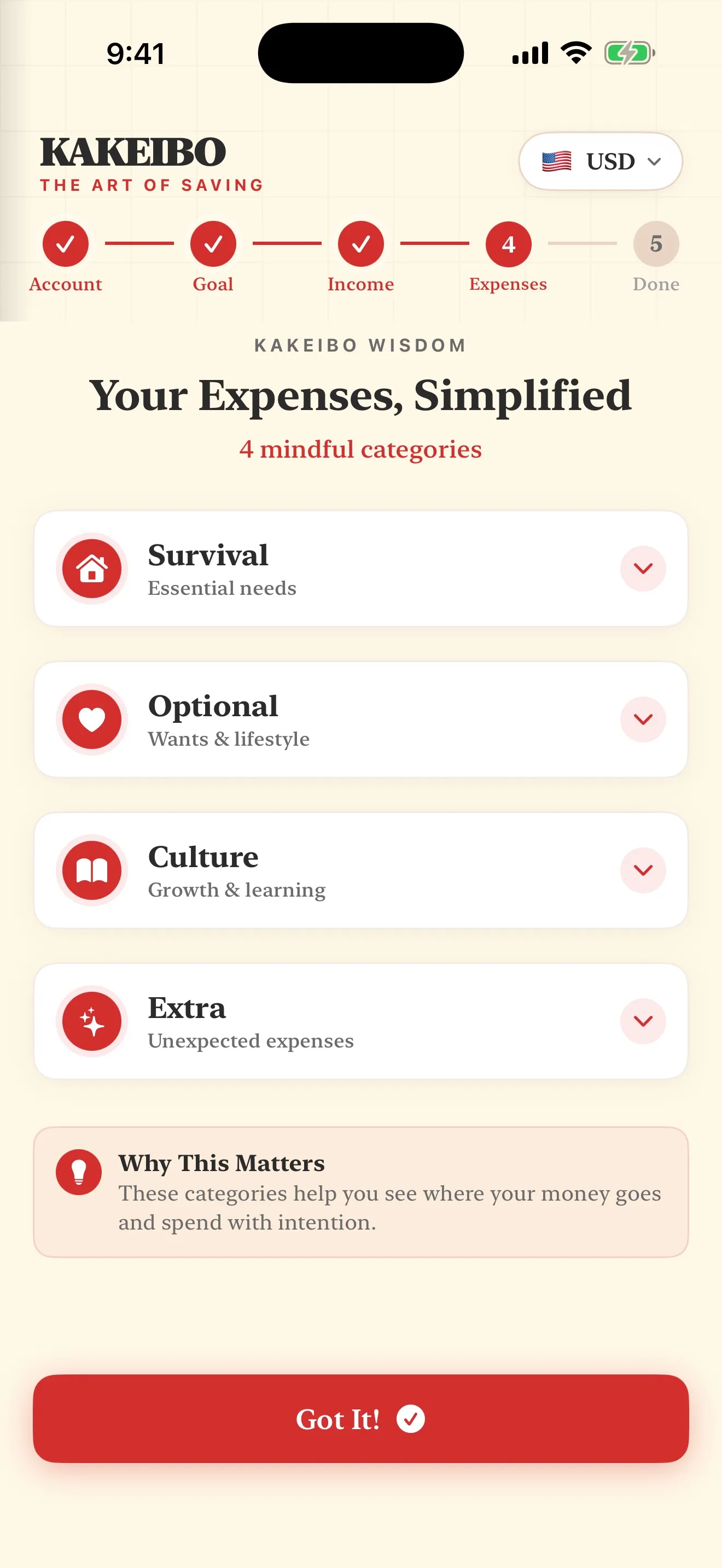
The four categories this method uses avoid that by asking a different question each, rather than the same question at three levels of urgency. Survival is what has to be paid regardless of how the month goes. Optional is what could be cut this week without consequence. Culture is what you would genuinely regret losing even though nothing breaks if you do. Extra is the spending that happens once rather than monthly, a repair, a gift, an annual renewal. The full case for each one, with the awkward cases argued out, is in the categories guide, and the four category split calculator will do the sort on your own numbers before you print anything, which is worth doing once so the page you print starts from real proportions rather than a guess at how the split should look.
How it works in a real household
A printable page has one structural weakness a phone does not: it is rarely in your hand at the point of sale. The fix most guides skip is deciding, before the month starts, exactly what happens between a purchase and the page. The workable version is a single fixed capture point, a phone note, a receipt pocket, a sticky note on the fridge, that gets emptied onto the printed page at the same time every day or every second day. The page itself only needs to be filled in once a day, not once a purchase.
Where the page lives matters as much as what is on it. A page kept in a drawer gets opened when it is remembered, which in most households is not often. A page clipped somewhere already visited daily, next to the kettle, inside the folder that holds the mail, survives because looking at it stops requiring a decision of its own. This sounds like a small detail and it is the one that predicts whether a printable budget reaches its second month.
The weekly rhythm is the other piece that separates a page that works from one that does not. At the end of each week, total what actually happened in each category and write it next to what you expected. The gap between the guess and the actual is not a failure, it is the information the page exists to produce, and it is usually the first thing that changes once someone starts writing it down deliberately.
Where printable pages genuinely fall short
Three honest limits, stated plainly rather than argued around. A printed page does not total itself, so an arithmetic slip in week two compounds quietly until the monthly review catches it, if the review happens. A printed page cannot remind you, so a week where nothing gets written down produces nothing to review rather than a gentle nudge. And a printed page is one physical object, so a lost page is a lost month, with no copy anywhere else.
None of these are reasons to avoid paper. They are reasons to know what paper is bad at before you build the whole system on it. A weekly check catches the arithmetic before it compounds, a fixed location catches the reminder problem, and a phone photo of each finished page solves the lost page problem for the cost of thirty seconds a week.
Printable, spreadsheet or app
A printed page is fastest to start and slowest to total: nothing to set up, nothing to learn, and every sum done by hand. A spreadsheet totals for you and is trivial to fix, but it usually lives on a laptop at home, so entries away from the house get reconstructed from memory that evening, and reconstruction is where most ledgers quietly stop being accurate. An app is the only one of the three that is normally in your hand at the point of sale, which is a real advantage at the counter and no advantage at all during the monthly review, where paper and screen do exactly the same job.
We publish a kakeibo app, so it is worth being direct about the comparison rather than pretending not to have a stake in it: the app wins on entry speed and on totals that cannot be added up wrong, and paper wins on nothing except being free and needing no account. Neither wins on the part that actually changes spending, which is the decision to write the entry down at all.
Where our own printable pack fits in
We do not have a printable pack live yet, and this guide would rather say that plainly than send you toward a download that goes nowhere. The templates page sets out exactly what ours will contain when it lands, ungated, no email address collected against a promise. Until then, everything above works on any printed or hand ruled page, including the four category split, and the notebook guide covers the version of this built by hand in a plain notebook rather than printed from a template at all.
A worked week
Say the page opens on a month with income of two thousand and a savings line of roughly two hundred, small enough to hold even in a tight month and close to the monthly figure behind a target like 2,000 dollars over nine months. Through the week, entries land in a phone note at the point of purchase, groceries and the electricity bill in Survival, a coffee and a takeout order in Optional, a secondhand book in Culture. On Sunday evening, the note empties onto the printed page in about four minutes, the week's four totals get written next to what was expected, and the gap between them, usually small but rarely zero, is exactly what next week's guess should account for.
A workable setup, start to finish
- Print or rule one page per month, income and the savings line at the top, then the four categories with an amount intended in each.
- Pick one fixed capture point for spending on the move, a phone note or a receipt pocket, and empty it onto the page daily or every second day.
- Give the page a fixed home somewhere you already visit daily, not a drawer.
- At the end of each week, total each category and write the gap against what you expected.
- Photograph the finished page before the month ends, so a lost sheet is not a lost month.
- At month end, run the four questions from the reflection guide against the totals, in writing.
None of this requires the page to look a particular way. It requires the four categories to mean something, a fixed place for it to live, and a habit of writing on it that survives a busy week. Everything else is decoration, and the pillar page on the kakeibo method sets out why that decision, made once before the month starts, does more work than any layout choice after it.
Common questions
- What should a printable budget page actually include?
- Four things, in this order: your income at the top, honest categories you decide before you spend, a place to write down what actually happened, and a short review at the end of the period. A page missing any one of those is a form, not a budget.
- Are free printable budget templates any good?
- Most are fine as paper. The categories are usually the weak part, a generic wants, needs and savings split that leaves the biggest decisions unmade, since almost every bill can be argued into any of the three. A page with fewer, more honest categories works better regardless of who drew it.
- How do I stop losing my printable budget pages?
- Give them one fixed home, a clip or a slim folder kept where you already put your keys or your wallet, not a drawer you have to remember to open. A page that lives somewhere else on spending days gets reconstructed from memory that evening, and a reconstructed page is the one that stops getting filled in first.
- Is a printable budget page as good as an app?
- At the counter, no. A phone is already in your hand when you pay for something and a printed page is not, so the app wins on entry speed and on totalling without arithmetic errors. At the monthly review, paper has no real disadvantage, and some people read their own handwriting back more honestly than a screen.
- Does the Kakeibo Method have a printable budget template?
- Not yet published. Our pack is being drawn and will be ungated when it lands, no email address and no watermark. The layout it will use is described in full on the templates page, and everything in this guide works with any ruled page in the meantime.
- What categories should a printable budget page use instead of needs and wants?
- Kakeibo's four, Survival, Optional, Culture and Extra, work better on paper because each one answers a different question rather than a matter of degree. Survival asks what has to be paid, Optional asks what could be cut this week, Culture protects what you would regret losing, and Extra holds the spending that happens once rather than monthly.
Read nextThe whole library →
Where this one leads
The download wants your email addressFree printable budget sheetsThree sheets doing three separate jobs, what free usually costs, and the Christmas sheet done properly.10 min readYou would rather use paperSetting up the notebookThe plan page, the daily spread, the weekly check and the monthly reckoning.9 min readYou are about to buy a bound plannerBudget planner booksWhat to check in the one photo of a monthly spread the shop shows you before a year rides on it.9 min read
A page, or a screen, with the same four categories
Income at the top, four honest categories, a place to write what actually happened, and a review. That is the whole page, printed or not.
Get the Kakeibo app freeiPhone and iPad · Free tier, no account needed