The medium
Notebook, spreadsheet or app
Kakeibo is a method, not a product, and the medium you write it in matters less than whether you keep writing. Here is what each one is actually good at, argued in the open by a site that sells one of them.
- Published
- 23 August 2026
- Written by
- The Kakeibo Method team
- Reading
- 8 minutes
- Filed under
- What you keep it in
Three mediums can hold a kakeibo ledger: a notebook, a spreadsheet, and an app. All three can do the whole method, four categories, a running total, a monthly reflection, and none of them is disqualified by being old or new. The question worth answering honestly is not which one is best in general, it is which one you will still be using in March.
We publish an app built on this method, so read the rest of this page knowing that. What follows is not a ranking of competing apps, because we have not used them and would be guessing if we scored them. It is a plain account of what each medium is genuinely better at, including the two that are not ours.
What paper is genuinely better at
Paper is better at the pause. Writing a sentence by hand is slower than typing one, and in the specific case of the monthly reflection, slower is the point: the four questions ask you to actually think about a month, and a notebook does not let you answer in a tap the way a form with four text boxes quietly invites you to. Several households who keep the daily entries on a phone still do the monthly reflection on paper for exactly this reason.
Paper is also better at being finished. A notebook page has an edge to it, and reaching that edge is a small, real signal that the month is over. A screen has no edge, so nothing marks the end of one month and the start of the next except the date, and a date is easy to miss. The full case for a paper ledger, including how to rule the pages, is in the kakeibo notebook guide.
What paper is worse at is arithmetic under pressure. Adding a column of eleven numbers correctly at the end of a long week is a place mistakes live, and a mistake in a total quietly undermines the whole month's reading.
What a spreadsheet is genuinely better at
A spreadsheet is better at totals, and it is free. Once the four category columns and a sum row are set up, the arithmetic never has to be checked again, and the same sheet can be copied forward every month for no extra cost. It is also the most flexible of the three, because nothing stops you adding a fifth column for a temporary purpose and deleting it again next month, which is harder to do cleanly on paper and impossible in most apps.
A spreadsheet is worse at being open at the counter. The entry that matters most in this method is the one made at the moment of spending, and a sheet that lives on a laptop at home is a sheet you open on Sunday from memory, which is a reconstruction rather than a record. Some people carry a spreadsheet app on their phone and genuinely use it that way, and for them this weakness mostly disappears. Most people do not, and for most people it does not.
What an app is genuinely better at
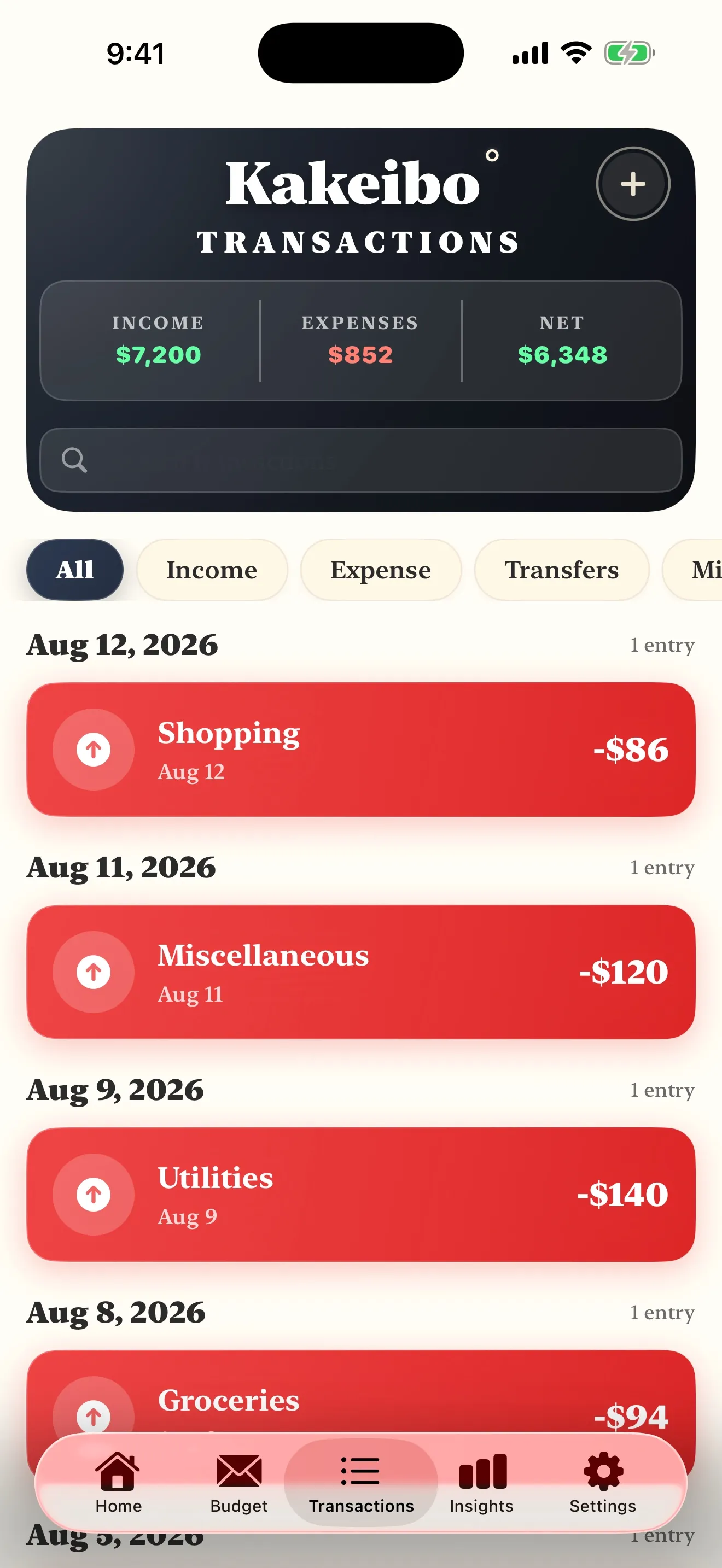
Entry speed at the counter is the real advantage, and it is worth being specific about why: a phone is already in your hand when a card comes out, so logging an amount and a category takes a few taps rather than a search for a notebook you did not bring. The other genuine advantage is a running total that updates itself, so the safe to spend figure for the rest of the month is one glance away instead of a fresh sum.
What an app is not better at is the thing that actually does the work, which is attention. A transaction that arrives on a list because a bank feed imported it barely registers as a decision, because nobody named it. The mechanism kakeibo depends on is the naming, not the medium, and an app that auto categorises everything for you has quietly removed the one step the method is built around. If you want an app for kakeibo specifically, the thing to check before anything else is whether it makes you enter each amount and category yourself, because that is the feature that makes it kakeibo rather than a dashboard.
This is also where cards, subscriptions and buy now pay later live, since none of them existed when the method was first published in 1904. The full adaptation, including when to log a card purchase and how to treat an instalment plan, is in kakeibo with a credit card.
What none of the three fixes
Choosing the right medium will not make an unwilling household keep a ledger. Every version of kakeibo depends on the same two habits, recording close to the moment of spending and running the monthly reflection on a schedule, and no medium supplies either habit for you. A beautiful app used for two weeks and abandoned produces the same result as a beautiful notebook used for two weeks and abandoned, which is nothing. The mechanics of why recording works at all, and what the method can and cannot promise, are set out in does kakeibo actually work.
It is also worth saying plainly that switching mediums is not the same as fixing a habit. If the ledger stopped in week three on paper, moving to an app rarely repairs that on its own, because the reason it stopped was usually friction in the routine rather than a complaint about the pen. Fix the routine first, in whichever medium you already started.
How to actually choose
Start from where you already spend, not from which tool looks the most serious. If most of your spending is a card tapped at a counter, an app removes the biggest source of friction, the notebook you did not bring. If most of your spending is a handful of regular payments you already review on a laptop, a spreadsheet costs nothing and does everything the arithmetic needs. If what you actually want is the slow kind of thinking the monthly reflection is for, paper earns its place even if the daily entries live somewhere else.
A useful way to size up the choice is with the kakeibo calculator, which splits an income into the four envelopes the same way whichever medium you settle on. Run your own numbers through it once, then pick whichever medium you would actually open again tomorrow. If the goal that comes out the other end is a specific number by a specific date, a page like saving 500 dollars in six months turns the calculator's output into a plan rather than a figure you look at once and forget.
None of this needs to be a permanent decision. A month on paper and a month on a spreadsheet cost nothing but the time, and the honest test of any medium is whether you are still using it when the month gets busy, not whether it looked right on day one.
Where this leaves our own app
We built ours around entering each transaction yourself, a running total and a monthly reflection with the same four questions every time, because those are the three things a phone genuinely improves on paper and nothing more was needed. It does not import transactions from a bank, and that is a deliberate choice rather than a gap we intend to fill, because automatic import is the feature that turns a kakeibo app into a different kind of app. If that trade does not suit you, a notebook or a plain spreadsheet will do the same method perfectly well, and this page was written so you could make that call with the actual trade offs in front of you rather than a sales pitch.
Common questions
- What is the best kakeibo app?
- We will not rank apps we have not used ourselves, including the ones that are not ours. What we can tell you is what to check before you pick one: does it make you name each entry yourself, or does it import transactions and sort them for you. The second is a different product doing a different job, and it is worth knowing which one you are choosing.
- Do I need an app to do kakeibo?
- No. The method is a written ledger with four categories and a monthly reflection, and it worked for decades before a phone could hold it. An app is a convenience for the recording, not a requirement of the method.
- Is a spreadsheet better than an app for kakeibo?
- A spreadsheet is free, it is exactly as flexible as you make it, and totals never need a formula you have not already written. It loses on the one thing that matters most, which is being open in your hand at the till. If you already keep a spreadsheet open all day for other reasons, that weakness may not apply to you.
- Can I use a notebook and an app together?
- Yes, and plenty of households do, a phone for the entry at the counter and a notebook for the monthly reflection, where writing a sentence by hand is a different and slower kind of thinking than typing one. Nothing about kakeibo requires a single medium for the whole method.
- Why does a site that sells an app tell people they might not need one?
- Because it is true, and because a page that pretended otherwise would not be worth reading. The method predates every app built on it, including ours, and the honest case for the app is narrower than a sales pitch: it makes the recording faster, it does not make the recording happen.
- What should a kakeibo app do at minimum?
- Let you enter an amount and a category in a few taps, show you a running total you can check before you spend, and keep a monthly reflection screen that asks the same four questions every time. Automatic transaction import and budgeting alerts are extras. Those three are the method.
Read nextThe whole library →
Where this one leads
You are about to install somethingBest kakeibo app for iPhoneWhat to check before you install anything, written by a site that publishes one of the candidates.8 min readYou would rather use paperSetting up the notebookThe plan page, the daily spread, the weekly check and the monthly reckoning.9 min readYou live in a spreadsheet alreadyKakeibo in Google SheetsThe five columns, the three formulas, and the honest limit of a medium that is bad at the counter.8 min read
Whichever medium, the same two habits
Record close to the moment of spending, and run the same four questions once a month. Paper, a spreadsheet and an app all do that. Pick the one you will still be opening in March.
Get the Kakeibo app freeiPhone and iPad · Free tier, no account needed