Kakeibo MethodThe household ledger
Get the Kakeibo app free

The household ledger

Comparison

Kakeibo vs an app that connects to your bank

One of these records everything and asks nothing of you. The other records only what you remember and asks for a few seconds every time you pay. That sounds like an easy verdict, and it is not, because the few seconds are the method.

Choose an app that reads your bank feed if you want the record to be complete without you. Choose kakeibo if the problem is that you do not notice spending while it happens. Automatic import is better at completeness. Hand entry is better at attention, and attention is the only thing that changes behaviour rather than describing it.

The short version

  • Kakeibo, entered by handSeconds per purchase, ongoing

    You name the purchase and choose its envelope while you are still standing there. Incomplete by nature, and educational by design.

  • A bank connected appSetup, then mostly correcting categories

    Transactions arrive on their own, sorted by a rule you can correct. Nearly complete, and only as useful as your reading of it.

Matched facts, row by rowHand entry against a feed

Compared onKakeibo, entered by handA bank connected app
How a transaction arrivesYou enter it, at the moment you spendIt appears on its own, once the bank reports it
Who sorts itYou do, into one of four categoriesA rule or a model guesses, and you correct it
CompletenessOnly as complete as your habitNear total for connected accounts, cash excepted
EffortSeconds per purchase, ongoingSetup, then mostly correcting categories
What it teachesYour own spending, because you named itA report, which you read or do not
Access it needsNone. Nothing leaves the device unless you export itA standing read of your account, held by a third party
Cost modelFree tier with limits, one off or subscription above itUsually a subscription, sometimes funded by product referrals
Fails whenYou stop enteringYou stop reading, which is quieter and more common
Best forPeople whose spending surprises themPeople who already know and want the paperwork gone

The feed’s case

What automatic import does better than any hand entered ledger

We publish a hand entry app, which makes this the comparison we have the most to gain from getting wrong. A comparison our own subject wins every category of is an advertisement. The rules we publish under

01The feed

Strongest atNear total for connected accounts, cash excepted

Fails whenYou stop reading, which is quieter and more common

What a bank connection actually buys you

Completeness, and it is worth more than people who like ledgers usually admit. Every card purchase, every direct debit, every subscription you forgot you were paying for arrives in the list whether or not you were paying attention that week. The card you use twice a year is in the picture. The annual renewal that goes out on a Tuesday in March is in the picture. A hand kept ledger sees none of those unless you happen to think of them, and thinking of them is exactly what a household with a money problem is not doing.

It also has no week three. Hand entry has a well known shape: the first fortnight is meticulous, something happens in the third week, and the fourth is reconstructed from a statement. A feed does not get tired, does not go on holiday, and does not skip the day you were in a hurry. If the thing standing between you and a record is your own consistency, automation removes the problem instead of asking you to be a better person about it.

If the only reason you have no record is that you keep forgetting, a connected app solves your problem and a ledger does not.
02The entry

Strongest atYour own spending, because you named it

Fails whenYou stop entering

What automation quietly removes

The decision. A purchase you enter yourself has to be named and sorted while you are still standing in the shop, and those two small acts turn a transaction into a choice you are aware of making. A purchase that appears on a list on Thursday, already labelled, has never been a choice at all. It is a fact about the past. Kakeibo is not a reporting method and it never was: it is a method for being present at the moment money leaves, and that moment cannot be automated because automating it is what removes it.

There is a second, more practical loss. A category assigned by a rule is a category nobody thought about. The four kakeibo envelopes exist to force an argument with yourself, because the argument is where the useful information is: deciding whether the taxi home was Survival or Optional tells you something about the taxi, and about you, that a merchant code never will. The working list of what goes where, and the cases that genuinely could go either way, are in needs versus wants and the four categories.

The failure modes are different too, and the quieter one belongs to the feed. A hand ledger fails loudly: you stop entering, the pages are blank, and you know. A connected app fails silently, because the data keeps arriving perfectly whether or not anybody looks at it. A year of immaculate automated records that nobody ever read is a very tidy way of learning nothing.

03The access

Compared onAccess it needs

AlsoUsually a subscription, sometimes funded by product referrals

The access question, stated plainly and not scaremongered

Connecting an app to a bank means a third party holds a standing read of those accounts for as long as the connection lives, either directly or through an aggregation service sitting behind the app. That is a factual description of how the category works, not an accusation about any particular provider, and we are not going to make claims about anyone’s security record that we cannot check. What is worth saying is that it is a decision, and it is usually made in about four seconds on a consent screen while you are trying to get to the part of the app you downloaded it for.

Two questions are worth asking before you tap through. Who is on the other end of the connection, the app itself or a service you have never heard of, and what happens to the history if you stop paying or the product closes. Both answers should be on the vendor’s own pages, and a vendor that makes them hard to find has told you something. A hand entered ledger simply does not raise the question, which is a real advantage and also a small one if you were never going to worry about it.

On cost, the category mostly runs on subscriptions, and some products are funded by referring you to financial products instead, which is a different kind of price. We do not print figures for other people’s products here. Free on iPhone and iPad with ads: one savings goal, ten envelopes and twenty five transactions a month. Pro removes the ads and the limits.

The answer, by problem

What to pick

You do not know where the money goes

Hand entry, for one month. A report you skim teaches nothing.

You know where it goes and want it totalled

A connected app. That is the job it was built for.

You would rather not hand anyone a read of your accounts

Hand entry, and the question is settled before it is asked.

You spend a lot of cash

Hand entry either way. A feed cannot see notes.

Irregular bills are the thing catching you out

Neither of these, really. Read kakeibo versus YNAB, envelopes and cash stuffing.

Running both, without running both

The split that works is to let the feed do the accounting and the ledger do the noticing. Balances, bills, subscriptions and anything you might have missed belong to the automated side, where completeness is the whole point. The discretionary spending you are actually trying to understand belongs in the four envelopes, entered by hand, because that is the spending a decision is still open on.

The version that fails is two complete systems: one becomes the real one within a fortnight and the other becomes admin. And if the honest reason you want a feed is that hand entry takes too long, read the real arithmetic first in how much time kakeibo actually takes, then decide.

Common questions

Is kakeibo better than an app that imports your transactions automatically?
They solve different problems. Automatic import solves completeness: it catches the purchases you would have forgotten to record. Kakeibo solves attention: it makes you name and sort the purchase while you are making it, which is the only moment the decision is still open. If your spending surprises you, hand entry is the one that changes anything. If you already know where the money goes and simply want it totalled, the feed is the better tool. We publish a hand entry app, so weigh that accordingly.
Why would anyone type in transactions a bank could send them?
Because the typing is the intervention rather than the paperwork. A transaction that appears on a list without you naming it barely registers as a decision, and a category assigned by a model is a category you did not think about. The pause at the counter, small as it is, is the mechanism the method relies on, and it does not survive being automated.
What access does a connected app need?
A standing read of the accounts you connect, held by the app or by the aggregation service behind it, for as long as the connection lives. That is a reasonable trade for many households and a poor one for others, and it is worth deciding deliberately rather than by tapping through a consent screen. A hand entered ledger asks for none of it, which is a genuine difference rather than a marketing line.
Do connected apps handle cash?
Not on their own. Cash leaves the visible record the moment it leaves the machine, so any cash spending has to be entered by hand in any system, including the automatic ones. Households that spend a meaningful share in notes end up doing hand entry regardless, which narrows the gap between the two approaches considerably.
Can I use both?
Yes, and the sensible split is to let the feed do the accounting and let the ledger do the noticing. Use the connected app for balances, for bills and for catching anything you missed, and keep the four kakeibo categories by hand for the discretionary spending you are actually trying to understand. Running two complete systems is the version that does not survive, because the duplicate becomes admin.
What do these apps cost?
Most charge a subscription, and some are funded by referring you to financial products instead. We are not going to print a figure for anyone else’s product, because a price we cannot attribute to a vendor’s own published pricing page is a price this site does not carry. Check the vendor’s own page, and check what happens to your data if you stop paying.

A complete record nobody reads is still nothing

Automation makes the list complete. Kakeibo makes you present at the moment the money leaves. If you have the list already and nothing has changed, it is the second one you are missing.

Get the Kakeibo app freeiPhone and iPad · Free tier, no account needed
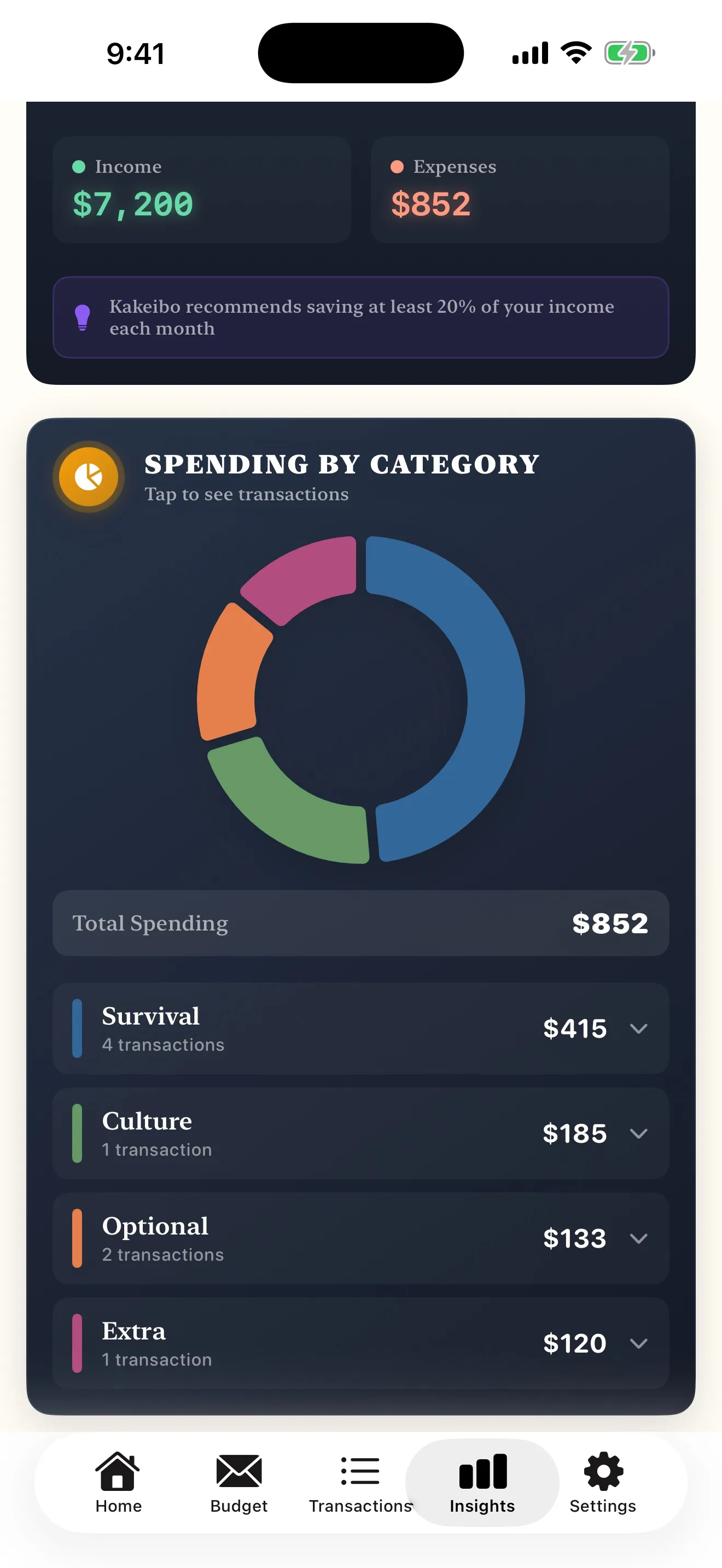
The Kakeibo app insights screen showing the total spent for the month with the categories broken out beneath it