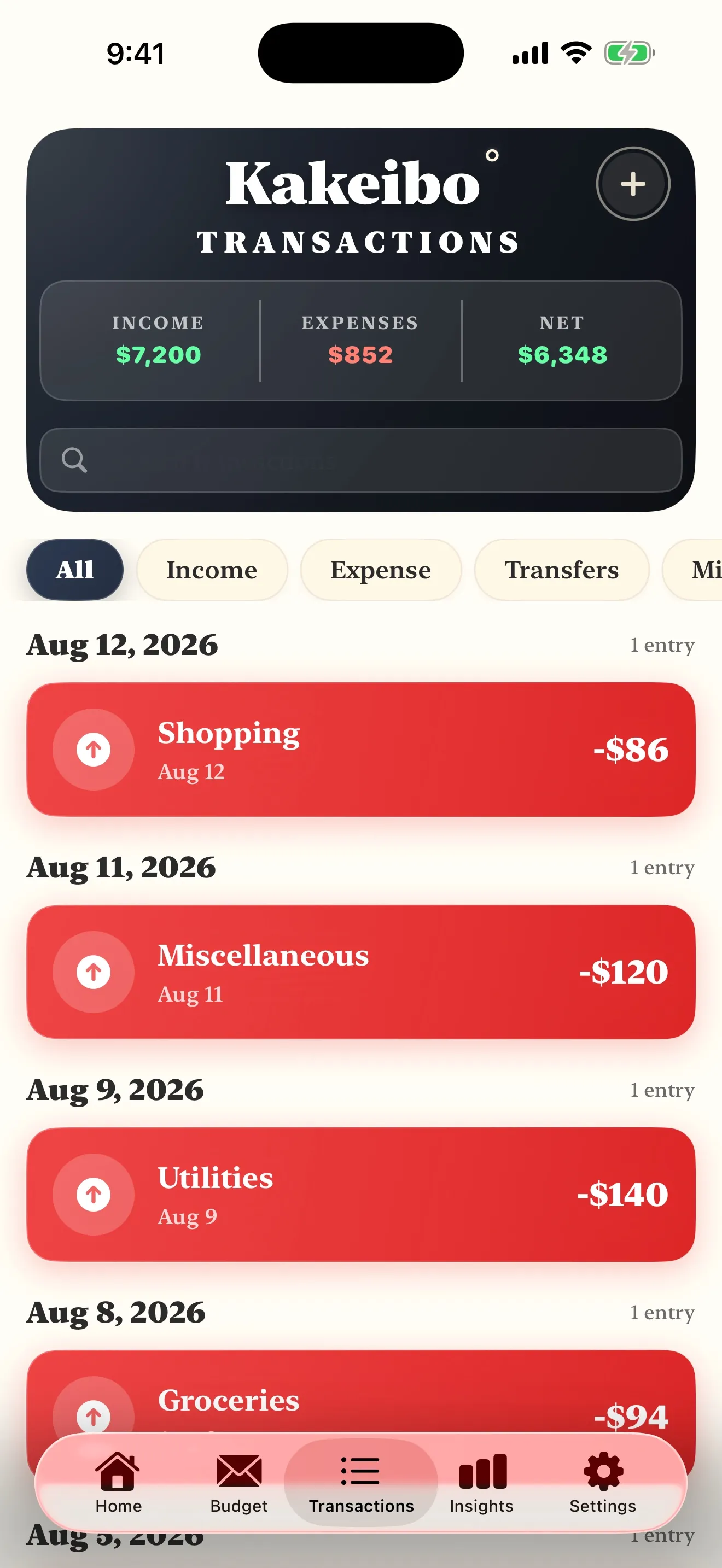
One is a habit and the other is a grid, which is why most versions of this comparison are unfair to both. The useful question is not which is better. It is which half of the job you are currently failing at.
Use a spreadsheet if you want history, charts and arithmetic you never have to do yourself. Use a kakeibo ledger if the problem is that you do not notice money leaving as it leaves. A spreadsheet is the better calculator. Kakeibo is the better habit, because it asks for the entry at the counter rather than on Sunday night.
The short version
KakeiboFree, a notebook
Four categories, an entry at the moment of spending, and a written reckoning at the end of the month. The work is the noticing.
A spreadsheetFree software exists in a browser and as a desktop download
Any columns you like, perfect arithmetic, and every month you ever entered kept in one file you control.
家Matched facts, row by rowMethod against container
Compared on
Kakeibo
A spreadsheet
What it is
A method: four categories, entries made by hand, a written monthly reckoning
A container: whatever columns and formulas you build into a grid
Where it lives
A notebook, a printed sheet or a phone
A file on a computer, or a tab in a browser
At the counter
The entry is the method, and it takes seconds
Nothing usually happens until you are back at a keyboard
Arithmetic
Done by you, or by the app holding the ledger
Instant, free and correct, which is what a grid is for
Categories
Four, fixed, and the constraint is deliberate
As many as you type, renamed whenever you like
History
Whatever you kept and can still find
Every month you ever entered, sortable and chartable
Cost
Free, a notebook
Free software exists in a browser and as a desktop download
Fails when
You stop recording
The entry is deferred, then reconstructed, then abandoned
Best for
People whose own spending surprises them
People who want to slice a year of their own numbers
The grid’s case
What a spreadsheet does better than a kakeibo ledger
We print this because a comparison in which our own subject wins every category is an advertisement. The rules we publish under
01The method
Strongest atPeople whose own spending surprises them
Fails whenYou stop recording
Kakeibo is a method, not a place to keep things
This is the part of the comparison that has to be said out loud, because the two words are not the same kind of word. Kakeibo, published by Hani Motoko in 1904, is a set of instructions: decide what you will save before you plan anything else, sort every purchase into one of four categories as it happens, and answer four written questions at the end of the month. Nothing in that says what the pages are made of. You can run it in a notebook, on a printed sheet, on a phone, and yes, in a spreadsheet. The full method is in what is kakeibo.
So what the reader typing this query actually means is narrower and more useful: should I build my own grid and invent my own system inside it, or should I follow a method that already has a shape. That is a real question, and the honest answer depends on which of two failures you keep having. Building your own means the categories are yours and the sheet does exactly what you want. Following the method means the categories are fixed and the argument about where something goes is settled before you are standing at a till holding a receipt.
02The container
Strongest atPeople who want to slice a year of their own numbers
Fails whenThe entry is deferred, then reconstructed, then abandoned
What a spreadsheet is genuinely better at
The arithmetic, first and obviously. A savings rate, a category share, a rolling three month average, a chart of one envelope across a year: all of that is a formula you write once and never think about again, and no paper ledger will ever compete with it. Our own savings rate calculator exists because that sum is worth doing, and a spreadsheet does it for free, forever, on your own numbers.
History, second. A notebook holds the months you still have; a file holds every month you ever typed, sortable, searchable and comparable. If you want to know what you spent on groceries in the same week last year, a grid answers in seconds and a ledger asks you to go and look in a drawer.
Control, third, and this one is underrated. The file sits on your own machine or in your own account. No pricing change, no discontinued product, no roadmap decision made in another country alters what your budget looks like. That is a real advantage over every app in this category, ours included, and it is the honest reason some people should never leave a spreadsheet.
If you already open a spreadsheet without being asked, the grid is not your problem and we would rather say so than sell you an app.
The one thing a grid cannot do
It cannot be at the counter. That sounds like a small logistical complaint and it is the whole argument, because kakeibo is not a reporting method, it is an attention method. The entry made while you are paying is a pause in a transaction that otherwise has none: you have to name the thing and decide which envelope it belongs to, and both of those are small acts of attention that a batch of typing on Sunday does not contain.
There is a second, quieter cost to deferring. Entries reconstructed from memory and a card statement are systematically incomplete, and they are incomplete in one direction: the small, frequent, forgettable purchases are the ones that go missing, and those are exactly the ones a household is trying to see. A statement line reading four pounds at a place you do not recognise is not a record of a decision. It is a receipt for one you have already forgotten making.
This is not an argument against spreadsheets. It is an argument against deferring, and a spreadsheet makes deferring the default because of where it lives. If you can find a way to enter at the moment, in a sheet on your phone or on a card in your wallet that you transcribe the same evening, the method works fine in a grid. Our column by column build is in kakeibo in Google Sheets, and it does not ask you to download anything.
The answer, by problem
What to pick
You do not know where the money goes
Kakeibo, for one month, changing nothing. Measurement before surgery.
You know where it goes and want to model next year
A spreadsheet. It is the better tool and it costs nothing.
You keep meaning to type the week up on Sunday
Whatever you will actually open at the counter, which is almost never a grid.
You want the discipline and the arithmetic
Log as you spend, then copy the month into a sheet at the reckoning.
You are still deciding between paper, a sheet and a phone
The hybrid that actually survives a year is not two systems, it is one system with a reporting layer. Capture at the counter, wherever capture is fastest for you, and then at the end of the month copy the four category totals and the savings figure into a single row of a sheet. Twelve rows later you have a year you can chart, and you never once asked the grid to be somewhere it was not.
What does not work is running a full ledger and a full spreadsheet in parallel. The second one becomes admin, admin is what gets abandoned first, and the abandoned one is usually the one holding the entries. If you want the month to take less of your evening than it currently does, the arithmetic of that is in how much time kakeibo actually takes.
Common questions
Is a spreadsheet better than kakeibo?
They are not the same kind of thing. A spreadsheet is better at arithmetic, at history and at any question you want to ask of a year of your own numbers. Kakeibo is better at the two seconds after you pay, which is the only moment the method actually operates in. If your problem is that spending surprises you, the ledger is the answer. If your problem is that you cannot see a pattern in numbers you already have, the grid is.
Can I run kakeibo in a spreadsheet?
Yes, and plenty of people do. The method needs a date, a description, an amount and one of four categories, which is four columns and a dropdown. What a spreadsheet cannot supply is the entry at the counter, so the usual hybrid is to capture on a phone or a card in your pocket and type the week up later, accepting that the reconstruction will miss some of the small purchases.
What does a spreadsheet actually lose?
Attention, and it loses it at the only moment that matters. An entry made three days later is a memory rather than a record, and the small frequent purchases are exactly the ones memory drops. It also loses the pause: a purchase you have to name and sort while you are standing at the till is a decision, and one you type up in a batch on Sunday is data entry.
Which is cheaper?
Both are effectively free to start. Spreadsheet software is available in a browser at no cost and as a free desktop download, and a kakeibo ledger needs a notebook. We are not going to print a price for anyone else’s product, because a figure we cannot attribute to a vendor’s own published page is a figure this site does not carry.
Do you have a kakeibo spreadsheet template?
We do not publish a file to download. We publish the build instead, column by column, including the three formulas that matter, so you end up with a sheet you understand rather than one you inherited. It is in our guide to kakeibo in Google Sheets.
Is an app just a spreadsheet with a nicer face?
For the arithmetic, largely yes. The difference is where it is when you are paying: a phone is in your hand at the counter and a spreadsheet is on a desk at home. We publish an app, so weigh that answer accordingly, and the fuller version of the argument is in our guide on whether you need an app at all.