
Linking is fine for watching balances. It is not fine for the part of budgeting that actually changes behavior, which is noticing the spend while you still feel it. Use the bank feed for the number, not for the awareness.
Here is the problem with automatic categories specifically. A linked account will sort a coffee shop charge the moment it posts, often a day or two after you bought it, and it will sort it by merchant type rather than by what the money meant to you that day. The app files it under “dining” and moves on. It cannot tell you whether that coffee was a quick Survival habit on a rushed morning, a deliberate Optional treat, or the start of a Culture ritual like meeting an old friend. The category is correct and useless at the same time.
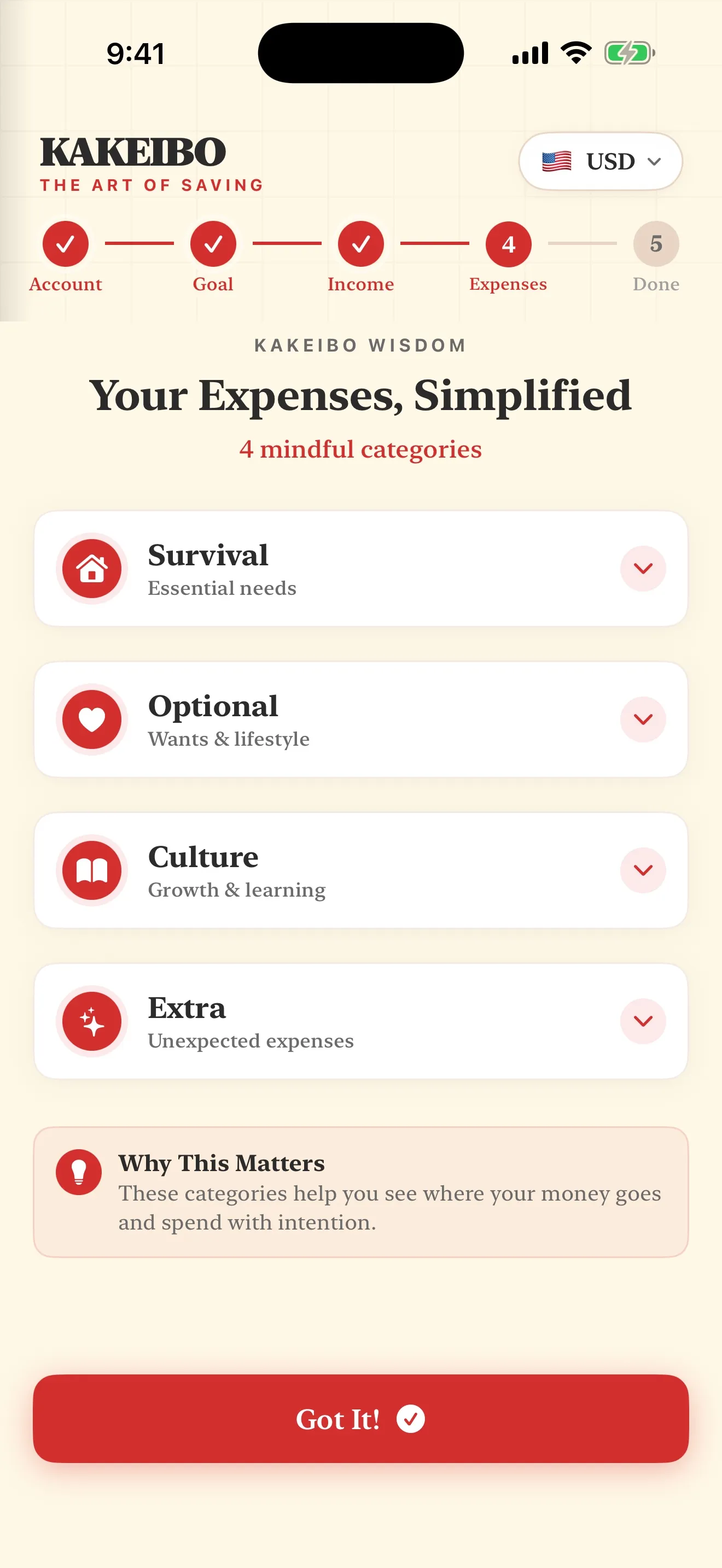
Kakeibo asks you to write the spend down close to the moment it happens, by hand, in your own words, into one of four envelopes:
- Survival, what keeps the household running
- Optional, enjoyable and stoppable
- Culture, money that leaves you better than it found you
- Extra, irregular and unexpected, funded in quiet months
That small pause, even ten seconds, is where the actual decision gets made. An automatic feed removes the pause entirely. You see the transaction after the fact, already filed, already decided, and there is nothing left to reflect on. The record is accurate but the thinking never happened.
A workable split:
- Bank feed: use it to confirm your income figure at the top of the month and to check your balance when you need to. It is a fact checker, not a diary.
- Hand entry: use it for every spend, sorted into one of the four envelopes, written near the moment of purchase, not batched up and auto sorted later.
- Savings promise: move this out of the account first, before you plan any spending, so the feed is watching what is left over, not the whole pot.
If you want a middle path, some people check the bank feed once a day and transcribe each line into their own envelope by hand, in their own judgment, rather than accepting the app’s label. That keeps the speed of a digital record and the reflection of a written one. The feed tells you what happened. Your hand tells you what it meant.
At the end of the month, close it in writing regardless of how you tracked it, with four questions: how much did I have, how much did I want to save, how much did I spend, what would I do differently. An automatic category table can answer the first three. It cannot answer the fourth, because that one requires you to remember how the spending felt, and you only remember that if you were paying attention when it happened.
So link the accounts if it helps you sleep at night about balances and overdrafts. Just do not let the auto categorized feed replace the moment of writing, because that moment is the whole method.